What Is an Account Health Score and How Do You Calculate One?
What an account health score is, how to calculate one for B2B SaaS, the four inputs and thresholds, and how account health scoring software automates it.
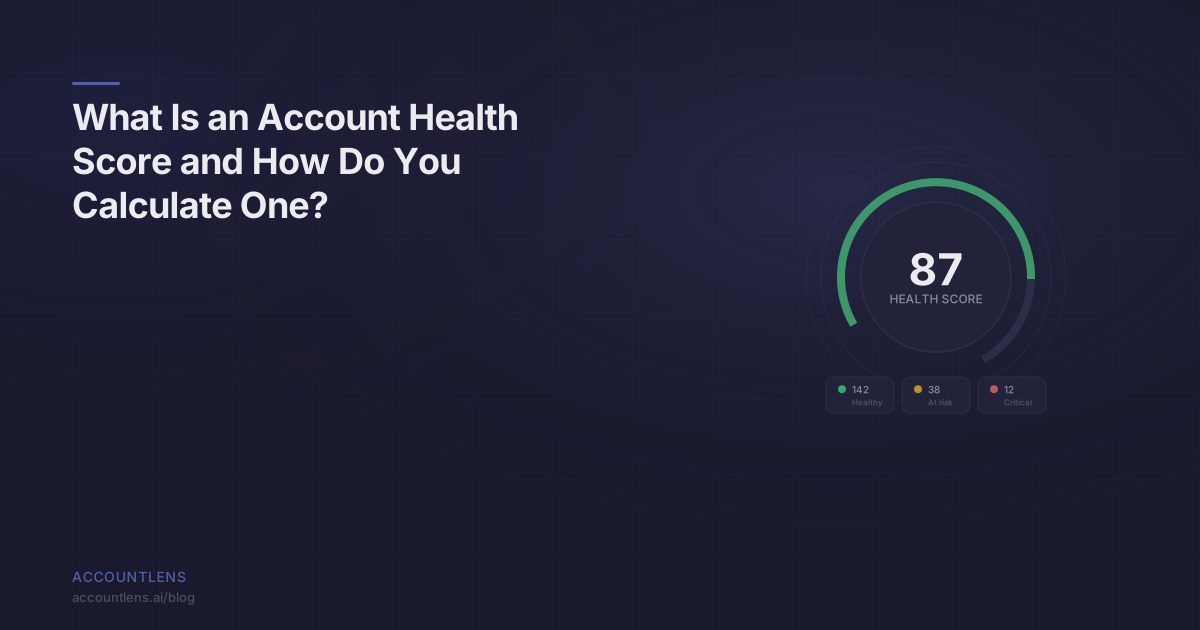
TL;DR: An account health score is a composite metric that measures how likely a B2B customer account is to renew, expand, or churn — based on product usage, engagement trends, feature adoption, and support signals. It’s the single most important number a Customer Success team can track. Done right, it predicts churn 60-90 days out. Done wrong, it gives false confidence while accounts quietly leave.
Every CS team I’ve talked to either has a health score, wants one, or tried to build one and gave up.
The ones who gave up usually failed for the same reason: they tried to make it perfect before making it useful. They spent three months debating weights and thresholds, then shipped a score that nobody trusted because it flagged the wrong accounts.
An account health score doesn’t need to be perfect. It needs to be directionally correct and recalculated daily. Here’s how to build one that works.
What is an account health score?
An account health score is a single numeric indicator — typically 0 to 100 — that represents the overall health and retention likelihood of a specific customer account based on their behavioral signals, product engagement, and relationship data.
That’s the definition. Here’s what it means in practice:
Your CS team manages 300 accounts. They can’t manually monitor all 300 every day. The health score tells them where to focus. Red accounts get immediate attention. Yellow accounts get proactive outreach. Green accounts get scaled touchpoints. Without a health score, your team is guessing — or worse, only reacting when a customer complains.
The critical distinction: an account health score measures accounts, not users. In B2B SaaS, one account might have 5 users or 500. The score needs to reflect the collective behavior of everyone in that account, not the activity of one power user who happens to love your product while the rest of the team has churned internally.
What are the four inputs to an account health score?
Four categories of signals, each capturing a different dimension of account health.
1. Product usage
This is the foundation. How much is the account using your product, measured against their own historical baseline?
Product usage isn’t one metric — it’s a cluster. The most important sub-metrics:
- Active user ratio: What percentage of licensed/invited users are active? An account with 50 seats where 8 people logged in last week has a 16% active user ratio. That’s a problem.
- Session frequency: How often are users engaging? Daily, weekly, monthly? And is that frequency stable, increasing, or declining?
- Core action completion: Are users performing the actions that deliver value? For a project management tool, are they creating and completing tasks? For an analytics tool, are they building and viewing reports? Track the actions that map to value delivery.
- Depth of usage: Are users spending meaningful time in the product, or are they logging in for 30 seconds and bouncing?
Weight product usage at 30-35% of the total health score. It’s the most important input but not sufficient on its own.
2. Engagement trends
Raw usage numbers at a point in time are misleading. An account with moderate usage that’s trending up is healthier than an account with high usage that’s trending down.
Engagement trends capture the direction and velocity of usage change over time:
- Week-over-week engagement velocity: Is usage accelerating, stable, or decelerating? Calculate as the 4-week smoothed rate of change in core activity.
- Trend consistency: Is the account on a steady trajectory, or whipsawing between high and low usage? Stability is a health signal. Volatility often indicates an account that hasn’t found its rhythm.
- Seasonal adjustment: Some accounts have legitimate cyclical patterns (quarterly business reviews, monthly reporting cycles, seasonal businesses). Your trend calculation needs to account for this or you’ll generate false alerts.
Weight engagement trends at 20-25% of the total score. This is the signal that gives you lead time — it tells you where an account is heading before it arrives.
3. Feature adoption
How much of your product’s surface area is the account using? And are they using the features that map to their use case?
Feature adoption has two dimensions:
- Breadth: How many distinct features or modules is the account using? An account that uses 8 of your 12 features is more deeply embedded than one using 2. Breadth creates switching costs — naturally and without dark patterns.
- Depth on key features: Is the account using the specific features they bought the product for? If a customer bought your platform for its reporting capabilities and they’ve never built a custom report, that’s a critical adoption gap regardless of what else they’re doing.
Feature adoption matters because it correlates with perceived value. Accounts that use more of the product find more reasons to stay. Accounts that use a narrow slice are always one competitor demo away from switching.
Weight feature adoption at 20-25% of the total score.
4. Support signals
Support interactions reveal friction, frustration, and satisfaction — signals that product usage alone doesn’t capture.
The support signals that matter:
- Ticket volume trend: A sudden spike in tickets often precedes churn. But so does a sudden drop to zero from an account that used to ask questions regularly. Both are signals — just different ones.
- Ticket severity: An increase in the severity of tickets (more escalations, more urgent issues, more “this is broken” vs. “how do I do X”) indicates growing frustration.
- Resolution time and satisfaction: Are support interactions resolving the issue? Is the customer satisfied with the resolution? A string of unresolved or poorly-resolved tickets is a compounding risk.
- Sentiment shift: If the tone of support conversations shifts from collaborative (“How can I configure this?”) to adversarial (“Why doesn’t this work?”), that’s a leading indicator of dissatisfaction that may not show up in any product metric.
Weight support signals at 10-15% of the total score. Support data is valuable but noisy — a single bad ticket can skew the signal, so it should inform the score without dominating it.
How do you calculate a weighted health score?
Score each input on a 0-100 scale, multiply by its weight, and sum the results. Here’s a practical framework:
| Input | Weight | How to Score (0-100) |
|---|---|---|
| Product usage | 30% | Composite of active user ratio, session frequency, core action completion. Score 100 if all metrics are at or above the account’s historical peak. Score 0 if all metrics are at zero. Linear interpolation between. |
| Engagement trends | 25% | Based on 4-week engagement velocity. Score 100 for strong positive trend. Score 50 for flat/stable. Score 0 for steep negative trend (>20% decline over 4 weeks). |
| Feature adoption | 25% | (Features actively used / total available features) * emphasis multiplier for key features. Score 100 if all key features are adopted and usage is broad. Score 0 if only 1 basic feature in use. |
| Support signals | 20% | Inverse of risk signals. Score 100 for normal ticket patterns, good resolution satisfaction. Score 0 for spike in severity + volume + declining satisfaction. Score 50 for silence from previously active account. |
Total health score = (Usage score * 0.30) + (Trend score * 0.25) + (Adoption score * 0.25) + (Support score * 0.20)
Example: An account has a product usage score of 72, engagement trend score of 45, feature adoption score of 80, and support score of 65.
Health score = (72 * 0.30) + (45 * 0.25) + (80 * 0.25) + (65 * 0.20) = 21.6 + 11.25 + 20.0 + 13.0 = 65.85
That’s a yellow account — not in crisis, but the declining engagement trend (score of 45) is worth investigating before it drags the whole score into red territory.
What are the benchmarks for green, yellow, and red?
Three tiers, with clear action thresholds:
| Tier | Score Range | What It Means | CS Action |
|---|---|---|---|
| Green | 75-100 | Account is healthy. Usage is strong or growing, features are adopted, no concerning signals. | Scaled touchpoints. Quarterly check-ins. Expansion conversations. |
| Yellow | 45-74 | Account shows risk signals. One or more inputs have declined or are below healthy thresholds. | Proactive outreach within 1 week. Investigate the declining input. Build a recovery plan. |
| Red | 0-44 | Account is at serious churn risk. Multiple inputs are declining or critically low. | Immediate intervention. Executive sponsor engagement. Recovery plan within 48 hours. |
These thresholds are starting points. Calibrate them against your actual churn data. After 6 months, look back: what was the average health score of accounts that churned? What was the average score of accounts that renewed? Adjust your thresholds so that red reliably captures accounts that actually go on to churn.
A good benchmark: your red tier should capture 80%+ of eventual churns, even if it also includes some false positives. False positives cost you a proactive conversation. False negatives cost you a customer.
What mistakes do teams make when building health scores?
Mistake 1: Using only CSM-reported data. Some teams build health scores from CSM gut feel — “I talked to the champion and they seemed happy.” This is a relationship score, not a health score. It tells you what the champion said, not what the account is doing. Product usage data doesn’t lie. CSM sentiment should be one input, not the primary one.
Mistake 2: Setting static thresholds across all accounts. A startup with 10 users and an enterprise with 2,000 users have different baselines. Scoring both against the same absolute thresholds will flag every small account as unhealthy and miss declining enterprise accounts. Use relative scoring: measure each account against its own history.
Mistake 3: Recalculating too infrequently. A monthly health score is a historical document, not a useful tool. Accounts can decline meaningfully in 2-3 weeks. Daily recalculation with 4-week smoothing gives you actionable signals without noise.
Mistake 4: Not connecting the score to action. A health score that lives in a dashboard nobody checks is worthless. The score must trigger notifications, populate CS team workflows, and drive priority queues. If your team’s daily standup doesn’t reference account health scores, the scores aren’t being used.
Mistake 5: Overcomplicating the initial version. Teams spend months trying to build a perfect health score model before shipping anything. Ship a v1 with 3-4 inputs, imperfect weights, and rough thresholds. Calibrate from there. A directionally correct health score today beats a theoretically perfect one in Q3.
Mistake 6: Ignoring new accounts. New accounts don’t have enough history for a behavioral baseline. Instead of leaving them unscored, use onboarding milestone completion as a proxy health score for the first 60-90 days. Did they complete setup? Invite their team? Complete their first core action? These early milestones predict long-term health.
How does AccountLens calculate health scores automatically?
AccountLens is an open-source product analytics platform that gives B2B Customer Success teams account-level health scores, feature adoption data, and churn signals. Instead of building the scoring framework described above from scratch, AccountLens computes it automatically from your product event data.
Data ingestion. Product events flow in via Segment webhook. AccountLens attributes every event to the correct account using your existing group and identify calls. No new instrumentation required — if you’re already sending events to Segment, AccountLens can consume them.
Automatic baseline computation. For each account, AccountLens establishes behavioral baselines from historical data. It learns what “normal” looks like for each account individually, so a 10-person account and a 1,000-person account are each measured against their own patterns.
Composite scoring. The platform computes product usage, engagement trends, feature adoption, and support signal scores per account, weights them, and produces a composite health score on a 0-100 scale. Weights are configurable — you can adjust them to match what matters most for your product and customer base.
Threshold alerts. When an account’s health score crosses a tier boundary — green to yellow, yellow to red — your team gets notified. The notification includes which specific input drove the change, so your CSM knows whether to investigate a usage decline, a feature adoption gap, or a support pattern shift.
Trend visualization. Every account’s health score includes a trajectory chart: where the score has been over the past 4, 8, and 12 weeks. Your CS team can see whether an account is recovering, stable, or continuing to decline — which changes the intervention strategy significantly.
The platform is MIT-licensed and designed to self-host. Your data stays in your infrastructure. There’s no per-seat pricing, no annual contract, and no $100K commitment. You get the health scoring engine that previously required either an enterprise platform like Gainsight or a custom-built internal tool.
Frequently Asked Questions
How is an account health score different from NPS?
NPS measures sentiment — how a customer feels about your product at a moment in time. An account health score measures behavior — what the account is actually doing in your product over time. NPS is a lagging indicator reported by one person (usually the champion). A health score is a leading indicator computed from the actions of every user in the account. They measure fundamentally different things, and behavioral data is a stronger predictor of retention.
What’s a good health score distribution for a SaaS business?
A healthy B2B SaaS portfolio typically has 60-70% of accounts in green, 20-30% in yellow, and 5-10% in red. If more than 15% of your accounts are red, you likely have a systemic product or onboarding problem, not just individual account issues. If fewer than 5% are yellow or red, your thresholds are probably too lenient — recalibrate against actual churn data.
Can we build an account health score without product usage data?
You can, but it will be significantly less predictive. Health scores built only from CRM data (last touch date, NPS score, support ticket count) miss the most important signal: what accounts are actually doing in your product. If you’re starting without product usage data, begin with what you have — but prioritize instrumenting your product with event tracking (via Segment or similar) as the single highest-leverage improvement to your health scoring.
How long does it take to see results from health score-driven CS?
Most teams see impact within one renewal cycle. The first 60-90 days are about calibration: building baselines, tuning weights, validating that the scores align with your team’s qualitative assessment. By the second quarter, your CS team should be catching at-risk accounts earlier and intervening more effectively. Teams that implement health score-driven CS typically see a 15-30% reduction in logo churn within 2-3 quarters, primarily from earlier intervention on yellow and red accounts.