Product Analytics for CS Teams: What's Different About B2B
Product analytics was built for product teams building consumer apps. CS teams at B2B companies have fundamentally different needs — different units of analysis, different questions, different timelines. Here's what a CS-focused analytics stack looks like.
TL;DR: Product analytics tools were designed for product managers at consumer companies — tracking funnels, running experiments, optimizing conversion. B2B CS teams have a completely different job. They need to know which accounts are healthy, which features each account has adopted, and where churn risk is hiding. Using the wrong analytics framework wastes time and misses signals.
I had a conversation last year with a CS leader at a B2B company doing about $30M ARR. Her team had access to Amplitude, Mixpanel, and a Looker instance. Three analytics tools. And she still couldn’t answer the most basic question in Customer Success: “Which of my accounts are at risk right now?”
Not because the data didn’t exist. Because none of those tools were designed to answer that question.
Why is there a mismatch between B2C and B2B analytics?
Because the entire product analytics category was invented to solve B2C problems.
Google Analytics, Mixpanel, Amplitude — they all emerged from the same context: consumer web and mobile apps with millions of individual users. The core questions were: How do I get users to sign up? Where do they drop off? What makes them come back?
These are good questions. They just aren’t CS questions.
When the analytics vendors eventually noticed B2B companies buying their tools, they didn’t rethink the architecture. They added a “company” property. They let you filter by organization. Amplitude added an “Accounts” add-on. Mixpanel built Company Profiles.
But underneath, the data model is still user-centric. Events belong to users. Funnels track users. Cohorts group users. The account is an afterthought — a label attached to a user, not a first-class entity.
This matters because it shapes every question you can ask and every answer you get.
What’s different about users vs. accounts as the unit of analysis?
Everything. And getting this wrong cascades through every metric, dashboard, and decision.
In B2C, the user is the customer. One person, one subscription, one relationship. If that user is active, the customer is healthy. If that user churns, you lost a customer. Simple.
In B2B, the account is the customer. An account might have 3 users or 3,000. The relationship is with the company, not with any individual user. This changes the math on everything:
| B2C (User = Customer) | B2B (Account = Customer) | |
|---|---|---|
| Health signal | Is this user active? | Is this account active — across its users? |
| Adoption metric | Did this user try Feature X? | What percentage of this account’s users adopted Feature X? |
| Churn signal | User hasn’t logged in for 14 days | Account activity dropped 30% vs. its own baseline |
| Engagement trend | User sessions per week | Account-wide usage patterns, weighted by user roles |
| Success metric | User completed goal | Account achieved their stated outcome |
| Revenue impact | $10/month lost | $200K/year renewal at risk |
When you use a B2C tool for B2B analytics, you’re forced to think in users. Your CS rep wants to know if Acme Corp is healthy. The tool can tell them that 12 users at Acme Corp logged in last week. Is that good? Out of how many? What were they doing? Were they the right users? The tool doesn’t know. It wasn’t designed to.
What do CS teams need that product teams don’t?
Product teams and CS teams look at the same product data and ask completely different questions. Understanding the gap explains why sharing a product analytics tool rarely works.
Product teams ask: How do users move through this flow? Where’s the drop-off? What feature correlates with retention? How does this A/B test perform?
CS teams ask: Is this specific account healthy? Which accounts haven’t adopted the feature they bought? Who’s at risk before renewal? Where should I spend my time this week?
Product questions are about patterns across users. CS questions are about the state of specific accounts. Both are valid. They need different tools.
Here’s what CS teams specifically need from product data:
Account health scores
Not an aggregate metric across your customer base — a score for each individual account, based on their product usage, adoption breadth, engagement trends, and whatever other signals matter for your business. Your CS team needs to open a dashboard and see a ranked list: these accounts are healthy, these are at risk, these need attention now.
Most product analytics tools don’t compute this at all. The ones that do (like Gainsight) often base it on CRM data and support tickets, not on actual product usage. The signal is in the product data — it’s just locked in a tool that won’t compute it at the account level.
Feature adoption per account
Not “60% of users adopted Feature X” but “Acme Corp has 40 users and 3 of them have used Feature X.” That second number is what triggers a CS conversation. It’s what drives an adoption campaign. It’s what prevents a surprise churn at renewal.
Churn signals with lead time
By the time a customer tells you they’re leaving, the decision was made months ago. Product data contains early warning signals: declining login frequency, abandoned features, shrinking active user counts within an account. But those signals only matter at the account level. Your overall DAU being flat tells you nothing about which accounts are going dark.
Self-serve access without SQL
CS teams are not data teams. If getting account-level insights requires writing SQL queries or filing tickets with the analytics team, it won’t happen at the frequency needed. CS needs to self-serve — open a dashboard, search for an account, see the health score and adoption data. No code, no waiting.
What is the data pipeline problem for CS teams?
Even when CS teams know what they need, getting the data is a separate battle. This is the pipeline problem, and it’s why most CS teams are still flying blind on product data.
The typical B2B data stack looks like this:
- Product events flow into an analytics tool (Amplitude, Mixpanel) or a warehouse (Snowflake, BigQuery) via Segment or a custom pipeline.
- Customer data lives in Salesforce or HubSpot.
- Support data lives in Zendesk or Intercom.
- CS workflows live in Gainsight, ChurnZero, or spreadsheets.
The problem is that product events (step 1) never make it to the CS team (step 4) in a usable form. The analytics tool shows user-level data. The warehouse has raw events that require SQL. Salesforce has no product data. Gainsight has a health score based on survey responses, not product usage.
To close this gap, companies typically try one of three approaches:
The data team approach: Hire an analytics engineer to build a pipeline from the warehouse to a CS-facing dashboard. This works but takes months, requires ongoing maintenance, and creates a bottleneck. Every new question requires a new query.
The reverse ETL approach: Use a tool like Census or Hightouch to sync warehouse data into Salesforce or Gainsight. Better, but you’re limited to the fields and objects the destination supports. Account-level health scores end up as a custom field in Salesforce, which isn’t great for exploration or trend analysis.
The “just give CS access to Amplitude” approach: Give everyone a login and let them figure it out. CS reps spend 20 minutes trying to build a chart, can’t figure out how to filter by their account, and go back to asking the data team. Seen this happen at every company that tries it.
None of these are good. The root cause is that no tool in the stack was designed to take product events and present them as account-level CS intelligence.
What does a simple analytics stack for CS teams look like?
You don’t need to rip out your existing tools. You need to add the missing layer — the one that translates product events into account-level intelligence for CS.
Here’s a practical stack:
For product event collection: Segment (or your existing CDP). You’re probably already sending events. Don’t change this.
For product team analytics: Keep Amplitude, Mixpanel, PostHog, or whatever your product team uses. They need user-level funnels, cohorts, and experiments. That tool is doing its job.
For CS account-level analytics: This is the gap. AccountLens is an open-source product analytics platform that gives B2B Customer Success teams account-level health scores, feature adoption data, and churn signals. It connects to Segment, attributes events to accounts, and gives your CS team a dashboard they can actually use.
For CS workflows: Gainsight, ChurnZero, Vitally, or even a well-structured spreadsheet for smaller teams. This is where playbooks, tasks, and relationship management live.
The key insight is that CS analytics and CS workflows are different things. Gainsight is great at workflows — playbooks, task management, stakeholder tracking. But it’s not a product analytics tool. You need both layers: analytics to surface the signals, workflows to act on them.
The data flow looks like:
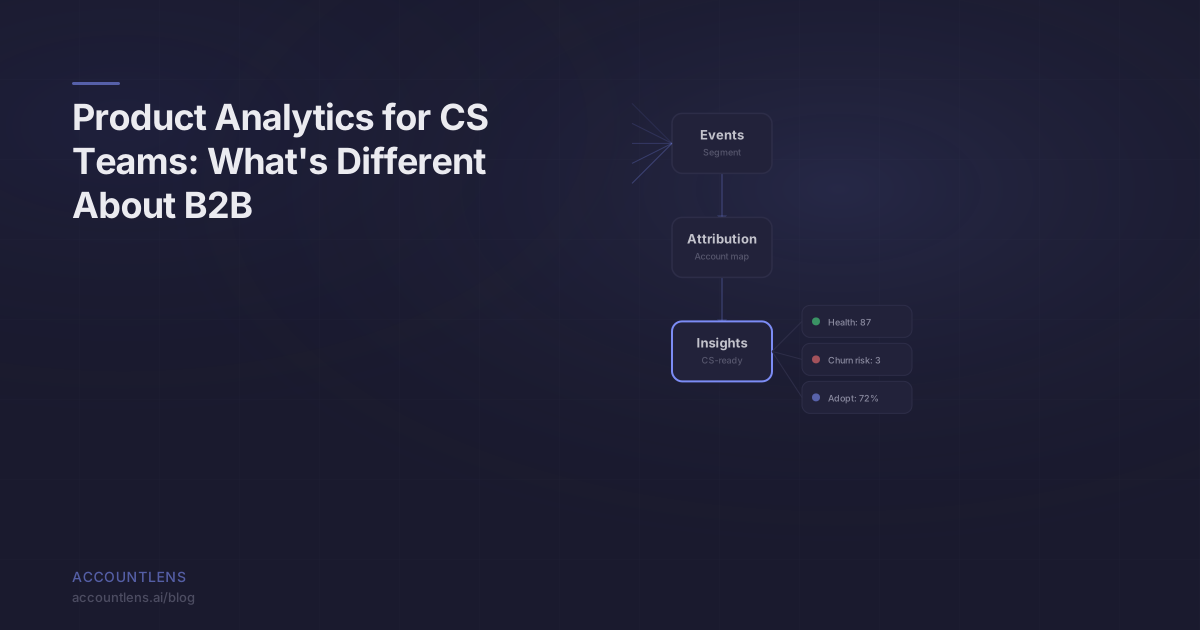
Product events (via Segment) → AccountLens (account-level analytics) → CS team dashboards and alerts → CS platform (for action and follow-up)
No custom pipeline. No SQL. No engineering tickets for basic questions.
How should CS teams prioritize what to track first?
Start with what drives renewals. Everything else can wait.
For most B2B SaaS companies, that means three things:
-
Core feature adoption by account: Pick the 3-5 features that define your value prop. Track adoption rate per account for each one. Any account below 20% adoption of a core feature is a conversation waiting to happen.
-
Engagement trend by account: Is each account’s overall usage growing, flat, or declining? A declining account needs attention regardless of what the absolute numbers look like. Trends matter more than snapshots.
-
Active user ratio by account: What percentage of an account’s users are actually active? An account paying for 100 seats with 8 active users is either a right-sizing risk (they’ll downgrade) or an expansion opportunity (help them drive adoption). Either way, you need to know.
Start with these three. Get them in front of your CS team. Watch how fast the conversations change from “I think Acme Corp is doing okay” to “Acme Corp’s adoption of our reporting feature dropped 25% last quarter — I’m scheduling a call this week.”
That’s the difference product data makes for CS. Not charts and dashboards. Specific, actionable, account-level signals that change what your team does on Monday morning.
Frequently Asked Questions
Can’t our data team just build account-level dashboards in Looker or Tableau?
They can, and many do. The problem is time-to-value and maintenance. Building account-level adoption metrics, health scores, and trend analysis from raw event data takes weeks of analytics engineering. Then it needs ongoing maintenance as your product, events, and schema evolve. If you have a dedicated analytics engineer with bandwidth, it works. Most CS teams are waiting in a queue behind product and marketing requests.
Should CS teams use the same analytics tool as the product team?
They can share a data source (Segment), but they usually shouldn’t share a tool. Product teams need user-level funnels, experiments, and behavioral cohorts. CS teams need account-level health, adoption, and churn signals. Forcing both use cases into one tool means one team is always fighting the tool’s defaults. Better to let each team use a tool designed for their questions.
What’s the minimum data I need to get started with account-level analytics?
You need product events attributed to users, and a mapping of users to accounts. If you’re using Segment with group calls (mapping users to companies), you already have this. If you’re not, adding group calls to your Segment implementation is the first step — it’s a small engineering lift that unlocks account-level analytics across any tool.
How do I convince leadership to invest in CS-specific analytics?
Tie it to revenue. Find your last 5 churned accounts. Look at their product usage data in the months before they churned. In almost every case, you’ll find declining adoption, shrinking active users, or abandoned features. Then show that you had no automated way to detect this. The cost of those churned accounts vs. the cost of tooling makes the business case obvious. Prevention is cheaper than replacement.