How to Track Feature Adoption by Account (Not Just by User)
How to track feature adoption by account, not just by user — why account-level feature adoption tracking matters for B2B SaaS and how to measure it.
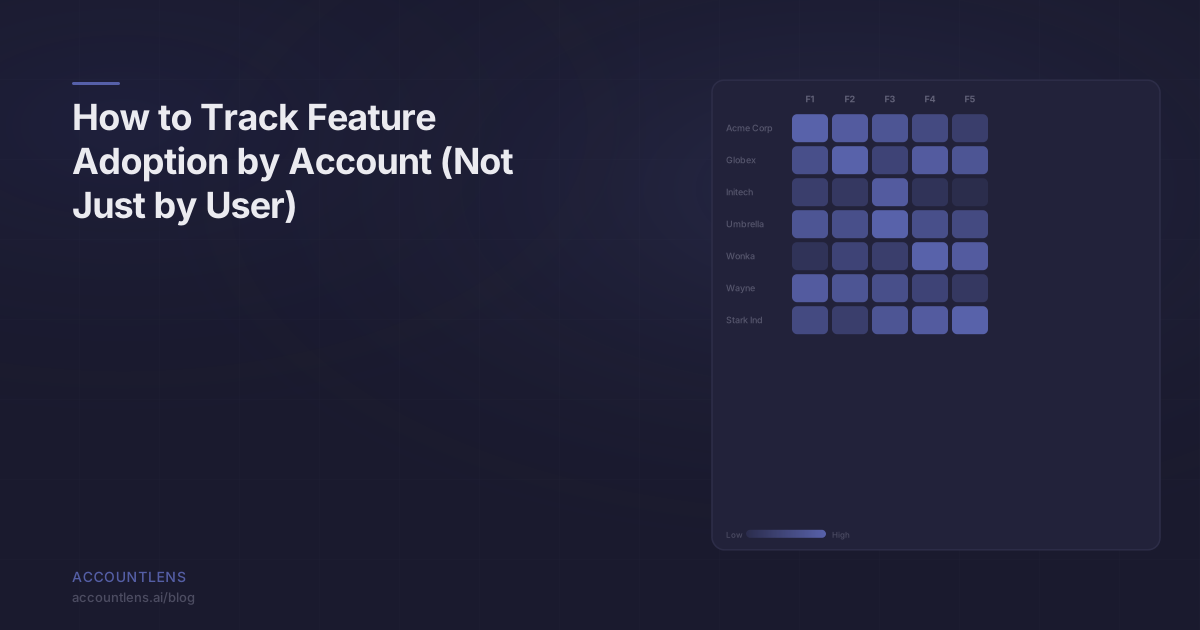
TL;DR: Most analytics tools tell you “40% of users adopted Feature X.” In B2B, that number is meaningless. What matters is which accounts adopted it, how deeply, and how fast. Tracking adoption by account instead of by user completely changes how CS teams prioritize, intervene, and retain customers.
Here’s a scenario I’ve seen play out a dozen times.
Your team launches a new feature — let’s call it Advanced Reporting. Product announces it’s a hit: 45% adoption rate in the first month. Everyone celebrates.
Three months later, your biggest account churns. In the exit interview, the champion says: “We never figured out how to use Advanced Reporting. It was the main reason we upgraded.”
How did 45% adoption and a churned account coexist? Because that 45% was users, not accounts. A handful of power users at small accounts drove the number up. Your enterprise accounts — the ones paying the most — barely touched it. Nobody noticed because nobody was tracking adoption by account.
Why does user-level adoption mislead B2B teams?
Because in B2B, the relationship between users and value is nonlinear and account-dependent.
Consider two accounts. Account A has 5 users, and 4 of them use Feature X daily. Account B has 200 users, and 10 of them use Feature X. Your user-level adoption metric says Feature X has a 6.8% adoption rate across these accounts (14 out of 205 users). That looks mediocre.
But Account A — the small one — has 80% adoption. They’re getting massive value. Account B — the enterprise deal worth 50x more revenue — has 5% adoption. They’re at risk.
User-level metrics hide this completely. They flatten everything into a single number that helps nobody. Your CS team needs to know that Account B is underadopting, not that your aggregate metric looks okay.
Three specific ways user-level adoption misleads:
-
Power users mask account problems. One enthusiastic admin can generate enough activity to make an entire account look healthy. Meanwhile, the 30 end users who were supposed to adopt haven’t logged in since onboarding.
-
Small accounts inflate metrics. A startup with 3 users and 100% adoption counts the same as an enterprise with 500 users and 2% adoption in user-level averages. The revenue implications are wildly different.
-
Aggregate trends hide individual risk. Your overall adoption might be growing while your top 10 accounts are declining. By the time you notice, it’s too late.
What is the account adoption gap?
The account adoption gap is the difference between what your analytics says about feature usage and what’s actually happening inside the accounts that matter to your business.
It exists because every mainstream analytics tool was built to answer “How many users did X?” — not “Which accounts are getting value from X?” These are fundamentally different questions, and conflating them leads to bad decisions.
The gap shows up in three places:
In dashboards: Your product team’s dashboard says Feature X has strong adoption. Your CS team’s QBR with a major account reveals they’ve never touched it. Both are looking at the same data from different angles, and neither has the right view.
In prioritization: Product decides not to invest more in Feature X because “adoption is already high.” Meanwhile, the accounts that would benefit most haven’t adopted because the onboarding for that feature is confusing at scale. The user-level number killed the initiative that would have saved your biggest accounts.
In churn analysis: Post-churn, you discover that most churned accounts had below-average adoption of your core features. This was knowable in advance — if anyone had been tracking adoption by account instead of by user.
What does account-level adoption tracking actually look like?
It looks like being able to answer these questions without filing an engineering ticket:
- What percentage of Account A’s licensed users have used Feature X in the last 30 days?
- Which of my top 50 accounts by ARR have never used Feature X?
- Has Account B’s adoption of Feature X grown or declined over the last quarter?
- Which accounts adopted Feature X within the first 14 days vs. which are still at zero after 60 days?
Concretely, account-level adoption means attributing every feature usage event to an account, computing adoption metrics per account, and surfacing that data in a way CS teams can act on.
Here’s what the data model looks like:
| User-Level View | Account-Level View |
|---|---|
| ”1,200 users used Feature X this month" | "34 of 80 accounts had at least one user use Feature X this month" |
| "Feature X adoption rate: 45%" | "Feature X adoption rate: 42.5% of accounts, but only 15% of enterprise accounts" |
| "Average 12 uses per user per week" | "Account A: 95% of users active. Account B: 3% of users active." |
| "Adoption growing 5% month-over-month" | "Adoption growing in SMB segment, declining in enterprise segment" |
| "Power users average 30 sessions/week" | "12 accounts have adoption concentrated in 1-2 users (single point of failure)” |
The account-level view tells you where to act. The user-level view tells you things are fine.
Which metrics actually matter for account-level adoption?
Five metrics. Track these and you’ll know more about your accounts than 90% of B2B companies.
1. Adoption Rate by Account
What it is: The percentage of an account’s users who have used a specific feature within a time period.
Why it matters: An account with 80% adoption is getting broad value. An account with 5% adoption has a single champion — and if that champion leaves, usage drops to zero.
How to calculate: (Users at Account A who used Feature X in last 30 days) / (Total active users at Account A) * 100
Don’t use total licensed users as the denominator unless you have accurate seat data. Active users in the last 90 days is a more practical baseline.
2. Time-to-Adopt
What it is: The number of days between an account gaining access to a feature and meaningful adoption (however you define that — first use, 3+ uses, used by multiple users).
Why it matters: Accounts that take 60+ days to adopt a feature they’re paying for are at risk. Either they don’t understand the value, the feature is hard to find, or their use case doesn’t match. All three are actionable for CS.
How to calculate: Date of first meaningful usage minus date of feature availability for that account.
3. Adoption Depth
What it is: How extensively an account uses a feature, beyond binary “used it / didn’t use it.”
Why it matters: There’s a massive difference between an account that ran one report and an account that has 15 saved dashboards with scheduled deliveries. Both “adopted” the feature. Only one is getting value.
How to calculate: Define 3-4 depth levels per feature based on usage patterns. For a reporting feature, it might be: Level 1 (viewed a report), Level 2 (created a custom report), Level 3 (scheduled a report), Level 4 (shared reports with team).
4. Adoption Breadth Across Features
What it is: How many of your key features an account has adopted, not just one.
Why it matters: Accounts that use one feature are easy to replace. Accounts embedded across five features are sticky. If your biggest account only uses one of four core features, there’s both risk (low switching cost) and opportunity (upsell potential).
How to calculate: Count of features with adoption rate above your threshold, per account.
5. Adoption Trend
What it is: Whether an account’s adoption is growing, stable, or declining over time.
Why it matters: A declining trend is a churn signal — even if the absolute number still looks okay. An account that went from 80% to 60% to 40% adoption over three months is telling you something, and you have a window to act.
How to calculate: Compare adoption rate by account across 30-day rolling windows. Flag accounts with two or more consecutive periods of decline.
How do most teams try to solve this today?
Painfully. The typical approach involves three or more of the following:
The SQL query approach: A CS ops person writes SQL queries against your data warehouse to pull account-level adoption data. It works, but it’s slow (days to get answers), fragile (queries break when schemas change), and bottlenecked (one person can service a few requests per week).
The spreadsheet approach: Someone exports event data, pivots it in a spreadsheet, and manually maps users to accounts. This works for 20 accounts. It falls apart at 200.
The “filter by company” approach: Your team uses Amplitude or Mixpanel, adds a company property, and filters dashboards by company name. This gives you some account-level views, but you can’t compute account-level adoption rates, there are no health scores, and your CS team has to manually check each account.
The custom dashboard approach: Engineering builds a custom internal tool that computes account-level metrics. It works great for six months. Then the engineer who built it leaves, and nobody knows how to update it.
All of these approaches share the same flaw: they treat account-level analytics as a bolt-on to user-level tools instead of as a first-class requirement.
How does AccountLens handle account-level feature adoption?
AccountLens is an open-source product analytics platform that gives B2B Customer Success teams account-level health scores, feature adoption data, and churn signals. Feature adoption by account isn’t a custom query or a workaround — it’s a core view.
Here’s how it works:
Event attribution: Events flow in via Segment. AccountLens attributes each event to the correct account using your existing group and identify calls. No new instrumentation needed.
Automatic adoption computation: For each feature you define, AccountLens computes adoption rate, depth, breadth, and trend per account automatically. Your CS team doesn’t write queries — they open a dashboard.
Account-level views: The primary interface is organized by account, not by user or by event. When your CS rep prepares for a QBR, they see that account’s adoption across every feature, trending over time, with flags for declining metrics.
Churn signal integration: Adoption decline is automatically factored into the account’s health score. An account whose adoption of core features has dropped 20% in the last quarter gets flagged before anyone has to notice manually.
The difference isn’t incremental. It’s the difference between “45% of users adopted Feature X” and “Your top 10 accounts by ARR: 3 have strong adoption, 4 have single-user adoption risk, and 3 haven’t touched it.” The second version is what drives action.
What’s the first step to tracking adoption by account?
Start by picking one feature and one segment of accounts.
Choose your most important feature — the one that’s core to your value prop. Then pick your top 20 accounts by ARR. Manually figure out, by whatever means necessary, the adoption rate for that feature across those 20 accounts.
You’ll learn two things immediately: which accounts are at risk, and how painful it is to get this data today. Both are motivating.
From there, you can decide whether to build the data pipeline yourself or use a tool designed for it. But the insight comes first. Once your CS team sees account-level adoption data, they’ll never want to go back to user-level averages.
Frequently Asked Questions
How do I define “adoption” for a feature?
Start simple. A user has adopted a feature if they’ve used it at least twice in the last 30 days. One usage might be accidental — two is intentional. You can refine later with depth levels, but don’t let perfect definitions delay getting started. The biggest mistake is spending weeks defining adoption criteria instead of looking at the data.
What if my accounts have very different sizes?
Normalize by active users, not total seats. An account with 500 licensed users and 50 active users should be measured against 50, not 500. Also consider setting adoption thresholds relative to account size — expecting 90% adoption at a 5-person startup is reasonable; expecting 90% at a 1,000-person enterprise is not.
Can I track feature adoption by account with Amplitude or Mixpanel?
You can approximate it with custom properties, group-bys, and computed metrics. But you’ll spend significant engineering time building and maintaining the queries, and your CS team won’t be able to self-serve. If you’re already invested in one of these tools for product analytics, consider adding AccountLens specifically for account-level adoption tracking rather than trying to force a user-level tool into an account-level role.
How often should CS teams review account-level adoption data?
Weekly for your highest-value accounts, monthly for the rest. But the real answer is that adoption trend alerts should be automated. Your CS team shouldn’t have to check dashboards to discover that a major account’s adoption dropped — they should be notified when it happens so they can intervene while there’s still time.